Valve have taken the wrenches to the homepage of the Steam store, with a design refresh now out in beta form. It’s certainly an improvement if you’re a fan of wider screenshots, infinitely scrolling pages, and/or having more details fired at your face when you hover over a game.
“The new layout aims to make it even easier for you to find new games by displaying more content and information,” Valve wrote in a blog post introducing the makeover. “We’re now displaying higher resolution game art for better visual clarity. Those of you with higher resolution monitors will notice the new store home is wider and more responsive. If you’re viewing the store home on Steam Deck or in Big Picture mode you’ll also see these updates.”
The wideness – which is a continuation of a wider enwidening – is certainly the biggest difference you’ll notice when switching between the new and old pages. My Steam was ahead of the curve and already had a preview of the beta loaded up to show me when I logged in this morning. Here’s what greeted me:
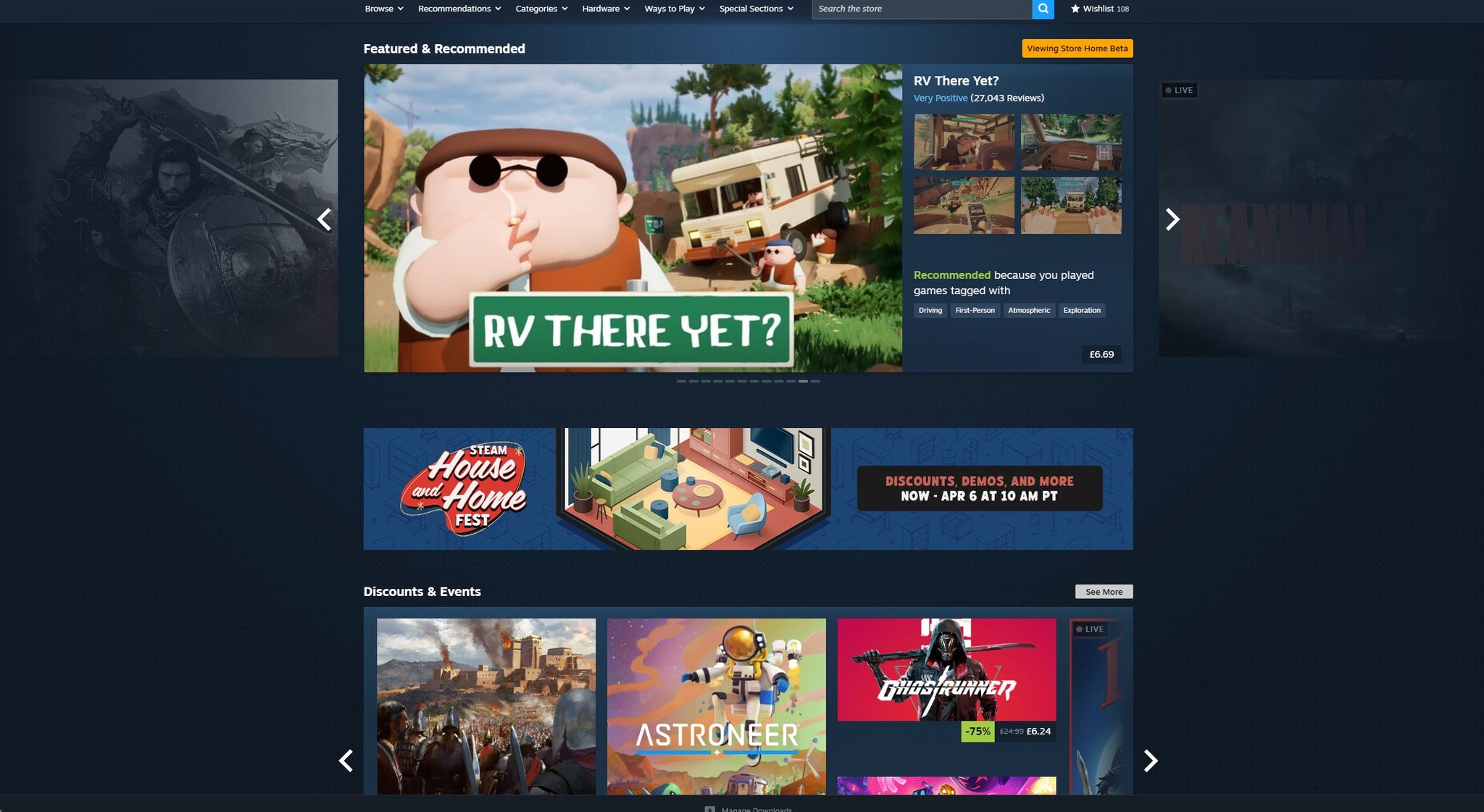
You can see which games are lurking just off the the side in the rotating list of things it thinks you might want to play, while a bit more info as to why said game’s being recommended right now, a short blurb, and a roundup of user reviews take up the extra space. A trailer also plays if you hover over any of these games, with an option to disable that part lurking in the store settings.
Further down, you can now jump right into your discover queue, while new wishlist and DLC sections show off any discounted games or add-ons Valve think you might be interested in based on your library and games you’ve said you’re keeping an eye on.
All in all, it’s not too revolutionary, but seems a nice change that won’t leave me longing for the old layout. If you fancy opting into the beta, instructions on doing so can be found here.
Speaking of more old school ways to go Steamilygaming, a game that turns your library into a customisable room full of physical game boxes released a first demo this week.


