Malachi “Reverse2k” Greiner is a streamer and professional Fortnite player from North America.
Though he was a frequent competitor in Fortnite through weekly Cash Cups and Skirmish events, Reverse2k rose in popularity when he qualified for the Solo’s leg of the Fortnite World Cup in 2019. He was also Ninja’s duo partner for the World Cup, but the two failed to qualify for the main event.
Reverse2k only placed 90th and took home a $50,000 check in return. While his performance during the event was underwhelming compared to the standard he had set, it was only a source of motivation for the young talent, and he was back to grinding Fortnite two weeks after the tournament.
If you’re looking to play as well as Reverse2k, then trying out his settings can be a great start. Once you get familiar with his inputs and style, you’ll better understand his thought process once you tune into him streaming on Twitch.
Here are Reverse2k’s Fortnite settings.
Reverse2k’s mouse settings
| DPI | 800 | X-Axis Sensitivity | 11.2 percent |
| Y-Axis Sensitivity | 9.5 percent | Scope Sensitivity | 29.4 percent |
| Polling Rate | 1000 Hz | Targeting Sensitivity | 22.3 percent |
Reverse2k’s keybinds
| Wall | F | Floor | Mouse Button 5 |
| Stairs | Mouse Button 4 | Roof | Z |
| Trap | X | Use | E |
| Crouch | Left Ctrl | Inventory | Q |
| Map | Tab | Reload / Rotate | R |
| Building Edit | C | Confirm Edit on Release | Off |
| Harvesting Tool | 1 | Weapon Slot 1 | 2 |
| Weapon Slot 2 | 3 | Weapon Slot 3 | 4 |
| Weapon Slot 4 | 5 | Weapon Slot 5 | 6 |
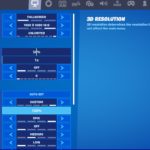
Reverse2k’s video settings
Battle royale games tend to be resource-hungry, and you’ll need to keep your frames high when land in a crowded point of interest.
Reverse2k prefers keeping most of his settings at their minimum values to ensure the smoothest gameplay experience at all times. He makes an exception for his View Distance and Anti-Aliasing settings, however. Keeping his View Distance at Epic allows him to spot loot and llamas better from a distance, while anti-aliasing helps to smooth jagged textures.
| Display Mode | Fullscreen | Resolution | 1920 x 1080 |
| Frame Rate Limit | Unlimited | Brightness | 100 percent |
| Interface Contrast | 1x | Color Blind Mode | Off |
| Color Blind Strength | Off | 3D Resolution | 100 percent |
| View Distance | Epic | Shadows | Off |
| Anti-Aliasing | Medium | Textures | Low |
| Effects | Low | Post Processing | Low |
| V-Sync | Off | Allow Multi-threaded Rendering | On |
| Motion Blur | Off | Show FPS | On |
| HUD Scale | 95 percent |
Please use our Creator CODE: MOKOKIL1
Please follow and like us:


