When playing Minecraft multiplayer, a player’s name is one of the first things others will notice about them.
However, sometimes players need to update their name for the sake of their identity. People go through changes, and sometimes changing a Minecraft name is necessary to reflect who a player is, especially when compared to a previous name that identified them.
Other times, players just need something different when it comes to naming themselves. Whatever the case or reasoning, changing one’s name in Minecraft is fairly straightforward in Java Edition, though there’s a sort of a catch for Bedrock Edition users.
Minecraft: Enacting a name change on Java and Bedrock versions
</figcaption></figure>
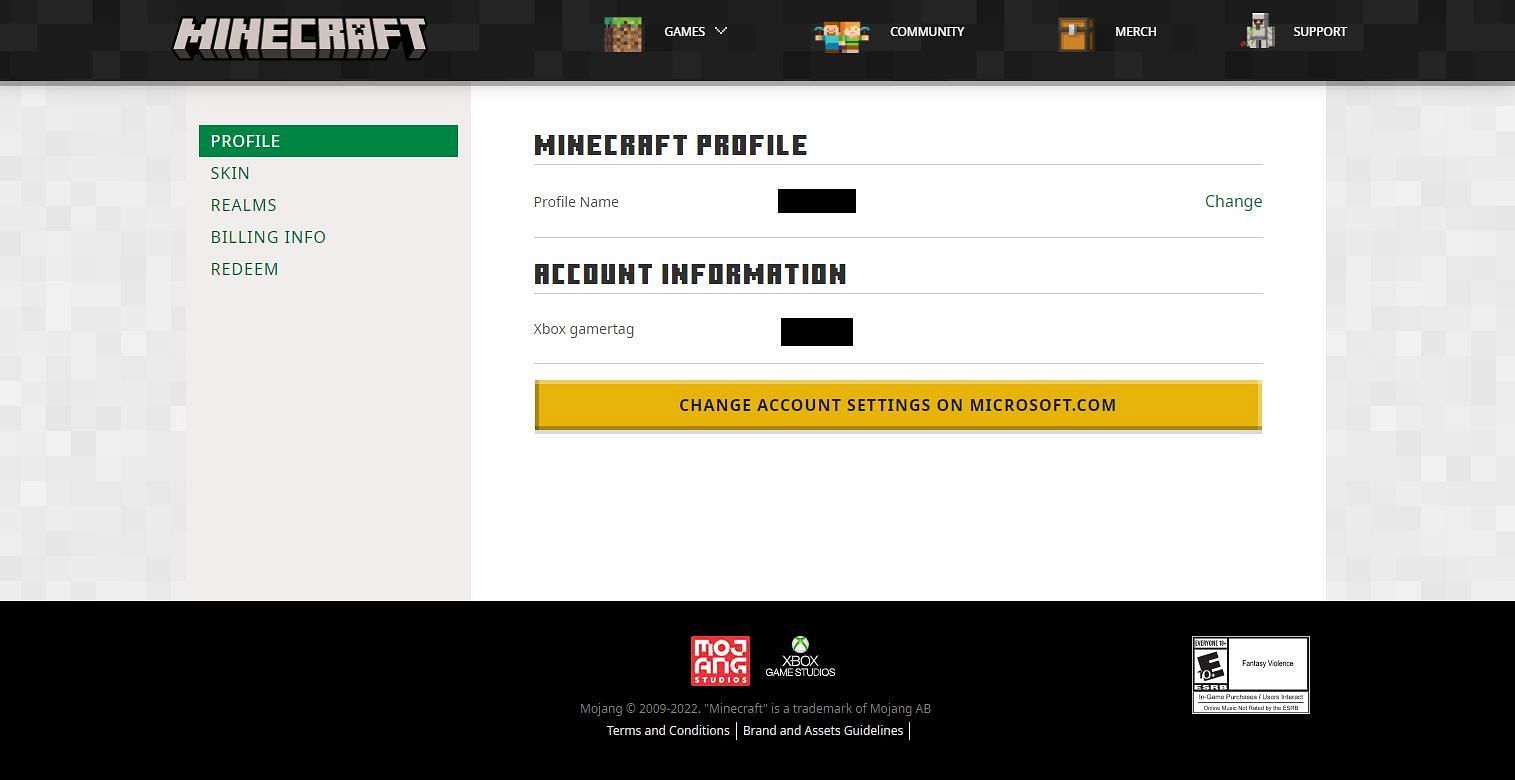
<p>Changing a player’s name begins at the game’s official site at Minecraft.net. On this site, in the top-right of the jump page, there is a login link. After clicking this, players will be asked to enter their information. Players will either need to enter their Microsoft account information or their Mojang account information if they haven’t integrated their Mojang account with Xbox Live.</p>
<p>Either way, once players have entered their information, they’ll make their way to the profile screen. Here, a player’s in-game name, as well as Xbox gamertag, should be present. For <a href=) Java Edition players, click the change link, which will bring up a menu with a text field. Players can then simply input their new name and then press “change profile name.” If the new name is available, it will take effect immediately.
Java Edition players, click the change link, which will bring up a menu with a text field. Players can then simply input their new name and then press “change profile name.” If the new name is available, it will take effect immediately.
This can only be done once every 30 days however, so players should be certain that their new name is one they’d like to keep for at least one month. Their previous names will also be up for grabs by other players, which is worth noting as well.

Changing one’s name for Bedrock Edition will require some extra steps, as well as a potential monetary charge. On the same profile page, Bedrock players will need to select “change account settings on Microsoft.com” and from the Microsoft page select “your info” in the top-left of the screen. At the bottom of the Your Info page, a player’s linked Xbox profile should be present. By clicking this Xbox link, players will jump to their Xbox Live profile.
On the Xbox Live screen, players will select the “customize” button, then click on the pencil icon next to their gamertag. This will bring the player to a screen where they can enter a new gamertag.
Also ReadArticle Continues below
After entering the new tag, players can press “check availability” to make certain that the tag is available. Once players are happy with a new gamertag, they can commit to the tag change and proceed. If this is the first time a player has changed their gamertag, they’ll receive the change for free. However, Xbox Live’s services may charge players for subsequent gamertag changes.


