
With Fortnite‘s in-game shop, players are able to purchase physical V-Bucks cards to spend at local retailers in their areas or purchase the in-game currency directly through the game.
With the physical V-Bucks cards being easier for the younger demographic, here’s how to redeem V-Bucks cards on Fortnite: Battle Royale.
Save the universe in style!
Your favorite Marvel heroes have taken over the Item Shop for a limited time. pic.twitter.com/QIcdfr3pvF
— Fortnite (@FortniteGame) December 28, 2021
To redeem Fortnite V-Bucks cards, the player needs an Epic Games account. Those who play the game should already have one.
According to Epic Games, “V-Bucks cards are available at major retailers in the USA, Canada, UK, France, Germany, Italy, Spain and Portugal.”
Here are the steps to redeem V-Bucks cards on the Epic Games website.
Visiting the Epic Games site and pressing sign in, located on the top right corner, will allow the player to access their account.
To get to the V-Bucks menu, the player has to hover over their name in the top right corner or press the link here.
Codes can be entered via the V-Bucks menu.
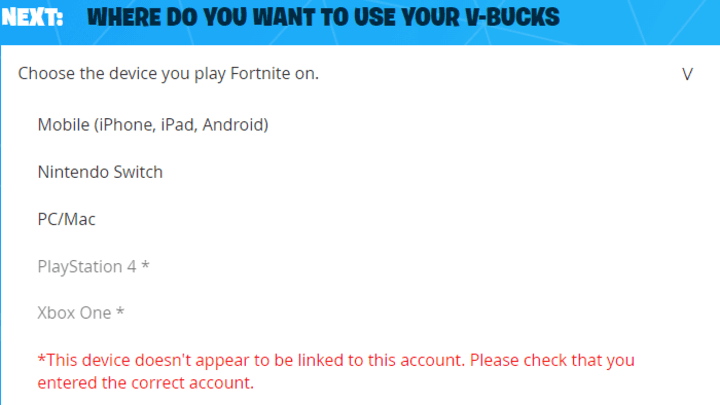
The only platforms that should appear are the ones you’ve played on before. If the platform you’re looking for doesn’t appear, make sure you’re logged into the correct Epic Games account.
From there, the player on console will receive a code to enter on the third-party console website.
On Xbox, you must go to the Microsoft site with the code, log into your Microsoft account and enter it in the “Redeem code or gift card” menu.
Once confirmed, the player should have the V-Bucks on their Fortnite account.
Please use our Creator CODE: MOKOKIL1
Please follow and like us:


