
Rocket League is a game that requires players to keep track of their ping and FPS constantly.
Fans of the game will understand the way it feels when you’re playing Rocket League and all of a sudden, the game begins to lag.
So, here’s how you can easily keep track of your FPS and ping while playing.
GG.@SquishyMuffinz #RLCS pic.twitter.com/HoBG8S21eS
— Rocket League Esports (@RLEsports) December 12, 2021
The following steps are how players can show their FPS and ping when playing Rocket League on PC.
Open the settings menu on Rocket League, switch to the Interface tab and scroll down to the Performance Graph setting. From there, the player can choose between three graphs: Performance Summary, Performance (Short), and Performance (Long).
Each of these graphs show a different type of information.
Below, you can find more information on the Performance Graphs:
The choice of the graph depends on the player’s preference.
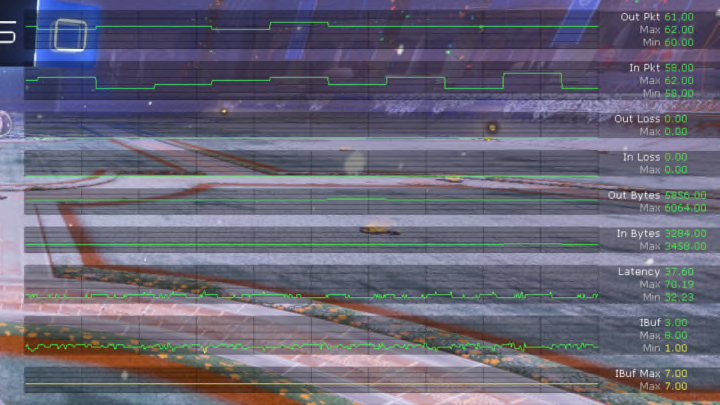
As for Network Graphs, there are two settings. Each provide short or long performance stats in real time.
Below, you can read more on each setting:


