There are infinite possibilities when it comes to creating a crosshair in VALORANT. Lots of players like to keep it simple or just copy the crosshair of a professional player in the hope of improving, while others are far more creative and have come up with the perfect Minecraft crosshair to use in the game.
VALORANT players have come up with the default crosshair from Minecraft, a custom variation of the default version and one that is totally different from every crosshair you have seen since it has the same shape as the Minecraft character Steve.
The default Minecraft crosshair and its custom variation are far more reliable if you want to play VALORANT competitively because they don’t differ much from what professional players use, while the Steve crosshair is kind of silly. You can, however, use any crosshair you want if you simply want to have fun with the game.
To import a crosshair code in VALORANT, head over to the Crosshair tab in VALORANT‘s settings menu and click the down-pointing arrow next to the Crosshair Profile. Then all you have to do is paste the code for the crosshair you want to use and click import when you’re done.
Here’s how you get the Minecraft crosshairs in VALORANT.
All Minecraft crosshairs in VALORANT
Default Minecraft crosshair
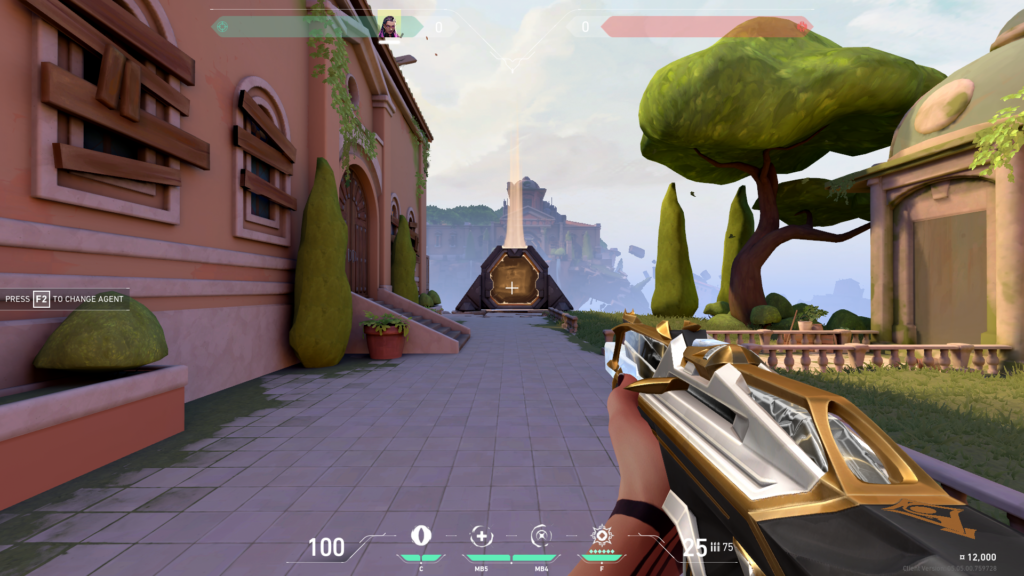
Code:0;s;1;P;h;0;0l;12;0o;0;0a;1;0f;0;1b;0;S;c;4;s;0.701
Custom variation of the default Minecraft crosshair
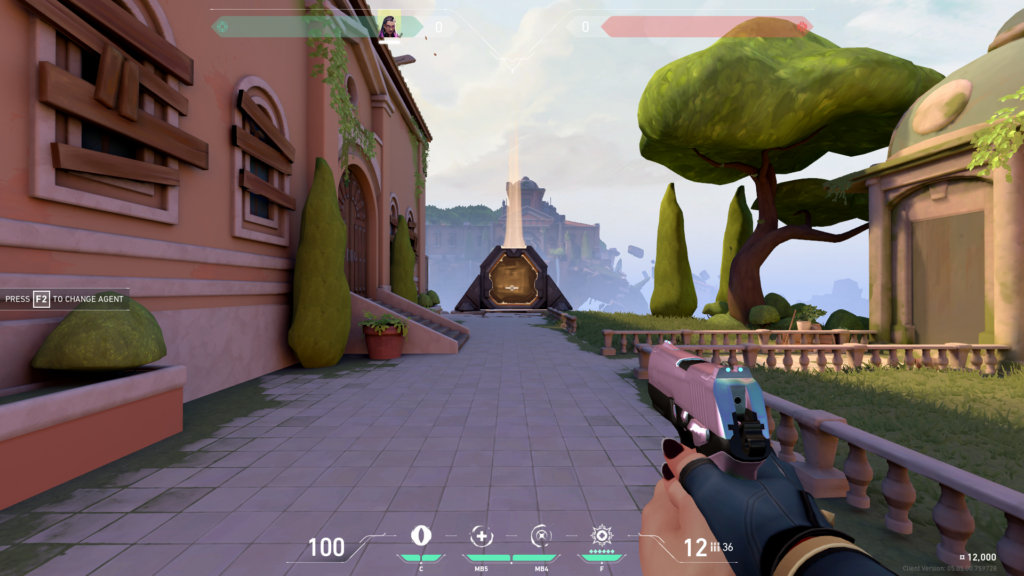
Code:0;c;1;s;1;P;h;0;d;1;m;1;0l;8;0v;1;0g;1;0o;4;0a;1;0f;0;1t;6;1l;1;1o;3;1a;1;1m;0;1f;0;S;c;5;s;0.8;o;1
Minecraft Steve crosshair
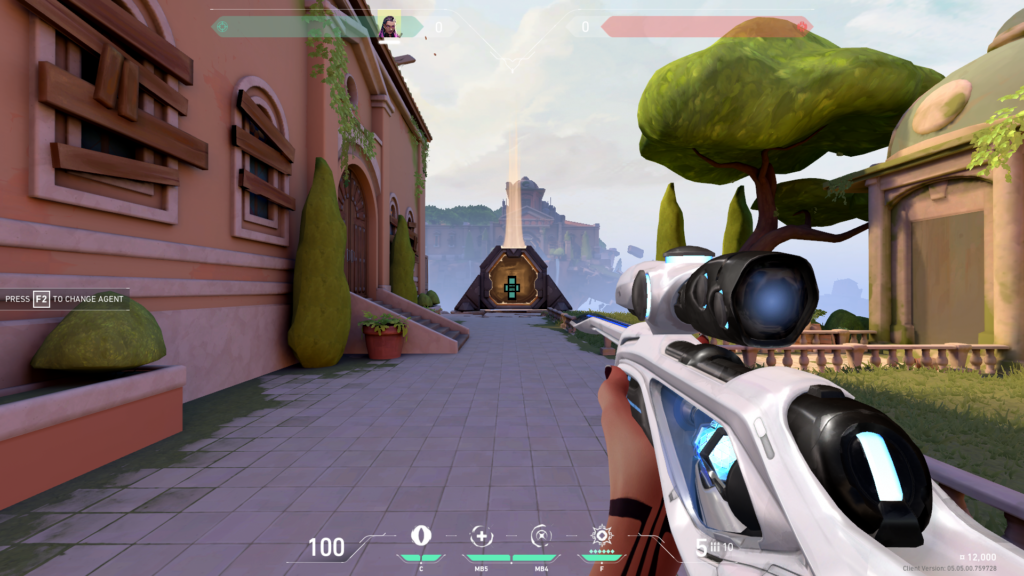
Code:0;P;c;8;u;105141FF;t;3;o;1;b;1;f;0;m;1;0t;10;0l;10;0v;20;0g;1;0o;0;0a;0.6;0f;0;1t;10;1l;4;1v;10;1g;1;1o;8;1a;1;1m;0;1f;0


