Franco “Replays” Sicilia is a content creator from Canada who specializes in Fortnite. He’s also been a streamer for FaZe clan since 2015.
Though Replays’ popularity sky-rocketed after the release of Fortnite, he already had a small fan base on YouTube. Until 2017, he was mostly uploading Call of Duty montages showing off epic snipes and plays.
His challenge videos and collaborations with household names like Nick Eh 30, TurkeyLips, and SpaceLyon allowed his channel to grow further. He currently has over one million subscribers on YouTube and more than 800,000 followers on Twitch. In addition to creating content, Replays also participates in weekly tournaments like Cash Cups and FNCS with other members of the FaZe clan, including Thiefs and Tilt.
If you’re looking to emulate Replays’ gameplay, then copying his settings can be an excellent first step. Using his settings will allow you to understand his in-game decisions and thought process better. Veteran players spend hours optimizing their settings but some can still be up to personal preference. If any of the settings feels off, you can further customize them for yourself.
Here’re Replays’ Fortnite settings.
FaZe Replays’s mouse settings
| DPI | 1200 | X-Axis Sensitivity | 10.0 percent |
| Y-Axis Sensitivity | 7.0 percent | Scope Sensitivity | 85.8 percent |
| Polling Rate | 1000 Hz | Targeting Sensitivity | 74.2 percent |
FaZe Replays’s keybinds
Replays’ building keybinds are slightly different than the default ones. His layout of “Q-F-C-V” allows him to have three of his building pieces under his index finder.
He also resassigns his fifth and sixth item slots key to “Z” and “X” which makes them easier to reach.
| Wall | Q | Floor | F |
| Stairs | C | Roof | V |
| Trap | 5 | Use | E |
| Crouch | Left Ctrl | Inventory | I |
| Map | Mouse Button 5 | Reload / Rotate | R |
| Repair/Upgrade | T | Building Edit | G |
| Confirm Edit on Release | Off | Harvesting Tool | 1 |
| Weapon Slot 1 | 2 | Weapon Slot 2 | 3 |
| Weapon Slot 3 | 4 | Weapon Slot 4 | Z |
| Weapon Slot 5 | X | Auto Run | Mouse Button 5 |
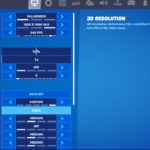
FaZe Replays’s video settings
Replays prefers having a balance between a smooth frame rate and decent image quality. He keeps most of his video settings at Medium that can be considered as the best of both worlds.
| Display Mode | Fullscreen | Resolution | 1920 x 1080 |
| Frame Rate Limit | 240 FPS | Brightness | 50 percent |
| Interface Contrast | 1x | Color Blind Mode | Off |
| Color Blind Strength | Off | 3D Resolution | 100 percent |
| View Distance | Medium | Shadows | Off |
| Anti-Aliasing | Medium | Textures | Medium |
| Effects | Medium | Post Processing | Low |
| V-Sync | Off | Allow Multi-threaded Rendering | On |
| Motion Blur | Off | Show FPS | On |
| HUD Scale | 100 percent |
Please use our Creator CODE: MOKOKIL1
Please follow and like us:


